
Pegas Smart CAM
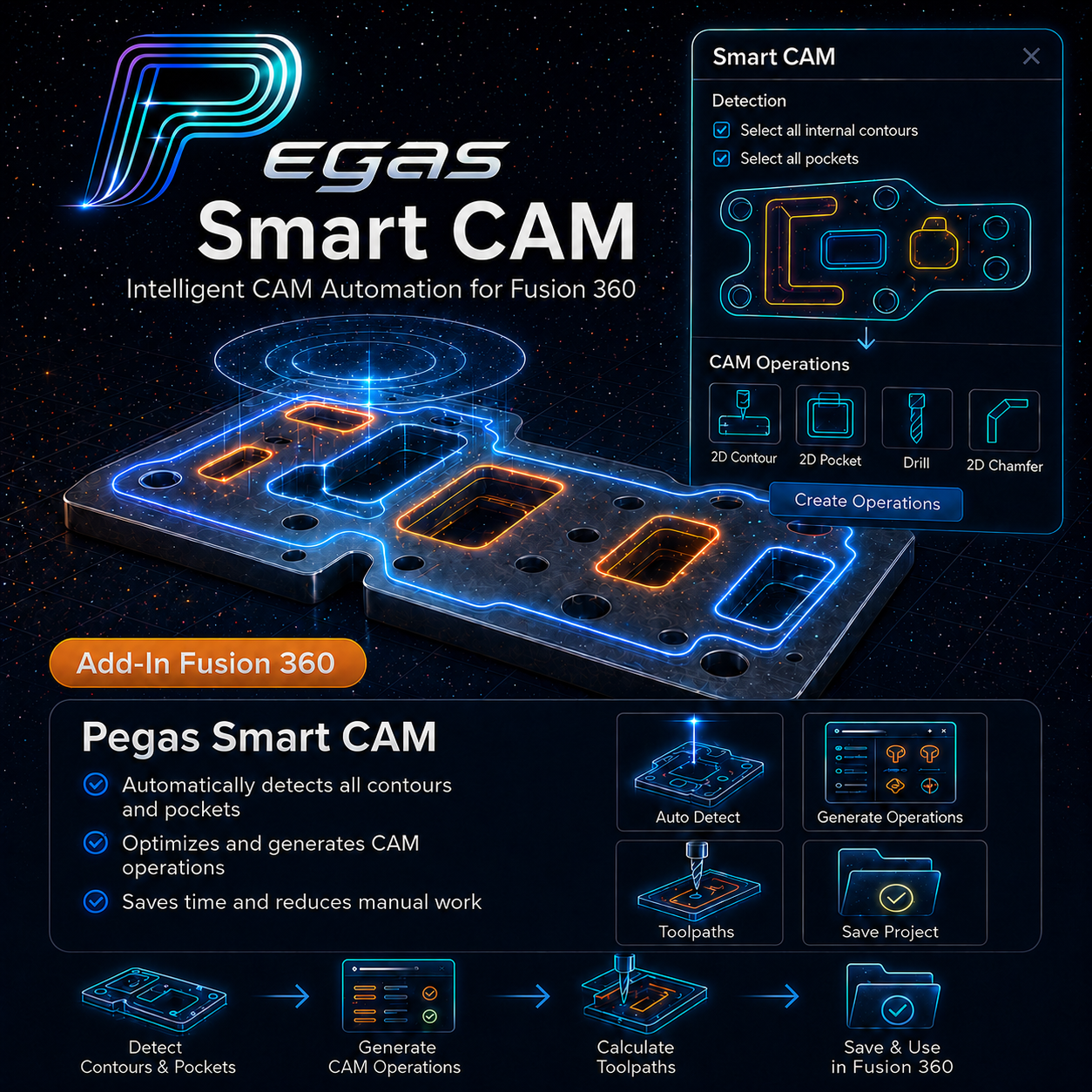
Pegas Smart CAM – Geometrieauswahl im Stapelverfahren, Steuerung der Schnittreihenfolge und PDF-Generator für die Fertigung in Fusion 360
Pegas Smart CAM ist ein professionelles Add-in für Autodesk Fusion 360 (Arbeitsbereich „Fertigung“) zur CAM-Automatisierung, Geometrieerkennung und Fertigungsberichterstellung. Es wandelt die mühsame Geometrieauswahl in eine strukturierte, bearbeitbare Liste um, optimiert die Schnittreihenfolge und generiert direkt aus Ihren CAD/CAM-Daten werkstattfertige PDF-Workshop-Pakete sowie druckbare Aufkleber.
Das Problem: Stundenlanges Anklicken von Geometrien in Fusion CAM
Das Einrichten von 2,5D-CAM-Werkzeugwegen für flache Bauteile oder Schrankbaugruppen in Autodesk Fusion 360 ist mühsam und repetitiv. CNC-Programmierer verbringen Stunden damit, Dutzende von Außenkonturen anzuklicken, passende Taschen zu finden und Bearbeitungsschritte manuell einzurichten. Schlimmer noch: Die native Schnittreihenfolge von Fusion CAM ist starr, was unnötige Eilgänge der Maschine über den Tisch verursacht und wertvolle Spindelzeit verschwendet.
Die Folge: Produktionsengpässe und fehlende Informationen für die Fertigung
Wenn die Geometrieauswahl fehlschlägt oder die Schnittreihenfolge unvorhersehbar über die Platten springt, steigen das Risiko von Werkzeugbruch und Teileverschiebungen sprunghaft an. Selbst nach Abschluss der CAM-Programmierung entsteht ein weiterer großer Engpass: Die Mitarbeiter in der Fertigung erhalten keine klaren visuellen Zeichnungen oder Beschriftungen, was zu Verwirrung bei der Montage, falsch platzierten Teilen und kostspieligen Nachschneidvorgängen führt.
Die Lösung: Automatische Erkennung, Neuanordnung der Schnitte und PDF-Berichte
Pegas Smart CAM löst sowohl die CAM-Programmierung als auch die Werkstattdokumentation. Das Add-in erfasst automatisch Innen- und Außenkonturen unter Berücksichtigung des Werkzeugdurchmessers, sucht nach ähnlichen Taschen anhand von Z-Toleranz und Formabweichungen und bietet eine interaktive Neuordnung der Schnitte (Algorithmen „Classic“, „Smart“ und „Nearest“). In der Version 1.1 Production erstellt es PDF-Werkstattpakete mit Taschenkarten und exportiert mit einem Klick druckbare A4-/A3-Etikettenbögen.
🟢 Wichtigste Funktionen & Arbeitsablauf
- Vorlagen für CAM-Bearbeitungsvorgänge: Wählen Sie Ihren bewährten CAM-Bearbeitungsvorgang als Master-Vorlage aus und wenden Sie ihn auf mehrere Geometrien gleichzeitig an.
- Automatisches Hinzufügen von Konturen und ähnlichen Taschen: Sofortige Erkennung von inneren Ausschnitten, äußeren Begrenzungen und passenden Taschentiefen innerhalb konfigurierbarer Toleranzen.
- Vorbereitungsfenster für ausgewählte Elemente: Überprüfen, filtern, neu anordnen und Geometrien vor der Ausführung selektiv auf CAM-Bearbeitungsvorgänge anwenden.
- Optimierung der Fräsreihenfolge: Ordnen Sie Werkzeugwege mithilfe der Algorithmen „Classic“, „Smart“ (mit „Smart Reason“-Karten) oder „Nearest-Neighbor“ neu an.
- Produktions-PDF-Werkstattpakete: Exportieren Sie werkstattfertige PDFs mit Taschenkarten, Detaillisten, Dickengruppierungen und zusätzlichen Seiten mit vergrößerten Details.
- Druckbare Teileetiketten: Erstellen Sie A4-/A3-Aufkleberbögen mit benutzerdefinierten Feldern, Bearbeitung des Rasterlayouts und Offsets zur Druckerkalibrierung.
🟢 Workflow-Vergleich: Manuelle Einrichtung vs. Pegas Smart CAM
| Aufgabe | Herkömmliche manuelle Methode | Pegas Smart CAM-Methode |
|---|---|---|
| Kontur- und Taschenauswahl | Manuelles Anklicken von über 50 Konturen und Taschen (30–45 Min.). | Automatisches Hinzufügen und automatische Auswahl ähnlicher Batches in weniger als 10 Sekunden. |
| Reihenfolge der Fräsreihenfolge | Starre native Reihenfolge, die zu unvorhersehbaren schnellen Tischsprüngen führt. | Optimierte Pfadsortierung (Classic, Smart, Nearest) + Drag-and-Drop. |
| PDF-Dokumentation für die Werkstatt | Manuelle Skizzen oder externer CAD-Export für Anmerkungen in der Fertigung. | Automatisierte PDF-Werkstattpakete mit Taschenplänen und zusätzlichen Detailseiten. |
| Teile-Aufkleber | Handschriftliche Teilebezeichnungen oder Verwendung von eigenständiger Software von Drittanbietern. | Direkte Erstellung von PDF-Dateien für A4-/A3-Etikettenaufkleber mit Druckerkalibrierung. |